How to Write Better Attorney Bio Pages
Want to see more TypeTopia Agency research in Google?
Add TypeTopia Agency as a preferred source to tell Google you’d like to see more of our law firm marketing research and guides.
In this article, you will learn how to write an effective attorney bio and how to support it with on-page and technical SEO.
Quick Answer: What Should a Great Attorney Bio Include?
For each attorney bio:
- Make the attorney clear from the search result onward
Use a simple URL, descriptive SEO title and meta description, professional headshot, and an H1 that identifies the lawyer and their primary work. More on the search result and page opening. - Explain the attorney’s work early
Use the opening biography to show who the lawyer represents and the types of legal matters they handle, rather than leading with education or awards. Go to the attorney biography section. - Support the biography with evidence
Use relevant prior experience, publications, testimonials where permitted, and credentials to substantiate the experience described on the page. Read about supporting the biography with evidence. - Connect the attorney to the right practice areas
Link the bio to the services the lawyer handles, and link those practice pages back to the attorney. Go to the practice area linking section. - Surface relevant articles and legal resources
Feature relevant and strong content the attorney wrote or reviewed, and make sure useful articles lead readers back to the lawyer and the relevant service. More on related articles and resources. - Make location and contact information easy to find
Show the attorney’s office location, if applicable, and provide a clear path to call, email, or request a consultation without making the prospective client search for it. Go to the contact and conversion section. - Choose a layout that fits the amount of information
Shorter bios can remain simple, while longer profiles may need clearly separated sections, jump links, or sticky navigation. Read about attorney bio page layouts. - Use structured data that describes the attorney
When appropriate, useProfilePagefor the bio page and identify the lawyer with aPersonentity as itsmainEntity. Make sure the markup matches the information visible on the page. Go to the structured data section.
How We Analyzed 10 Lawyer Bios
The 10 law firms in this analysis appeared on page one of Google’s localized statewide New Jersey search results for either “business lawyer” or “business litigation lawyer.” We identified them while collecting data for TypeTopia Agency’s 2026 New Jersey Law Firm Visibility Report. The broader study examined how law firms appeared across Google Search, the Local Pack, and AI environments.
For the Google portion of the study, we used Smoother Media’s Local SERP Checker to simulate searches from New Jersey and recorded the firm-owned pages that appeared in the organic results.
These results represent a localized snapshot from the study’s collection period. Google results can change over time and may vary among users.
Eight of the 10 law firms in this attorney bio analysis, or 80%, ranked through a dedicated practice or service page rather than the firm’s homepage. You can read our analysis of law firm practice area pages here, or see how TypeTopia approaches practice area page writing for law firms here.
We then visited each law firm’s website and reviewed one attorney bio from each site. We recorded what information the page included, how it connected the lawyer to the firm’s legal services and content, and how the attorney was represented in structured data.
The law firms included were:
- McLaughlin & Nardi, LLC
- McOmber McOmber & Luber
- Einhorn Barbarito
- Dunn Lambert, LLC
- Oberheiden P.C.
- Bramnick Law
- Biebelberg & Martin
- Bendit Weinstock
- Quinn Emanuel
- Reardon Anderson, LLC
TypeTopia Agency is not affiliated with any of these law firms. This analysis is based entirely on publicly available information from their websites and the search results collected for our study.
What We Found Across the 10 Attorney Bio Pages
All 10 bios explained the lawyer’s work within the first three paragraphs, usually by describing the legal problems or matters the attorney handles instead of simply listing credentials and achievements.
They differed more in how well they connected the attorney to the law firm’s practice areas, related content, office information, and structured data.
Here is a snapshot of what we found:
| What We Analyzed | What We Found |
|---|---|
| Lawyer’s work explained within the first 3 paragraphs | 10 of 10 (100%) |
| Bio links to relevant practice or service pages | 7 of 10 (70%) |
| Attorney and practice pages link to each other | 5 of 10 (50%) |
| Related articles, news, or resources surfaced on the bio | 5 of 10 (50%) |
| Attorney bio and related content link to each other | 2 of 10 (20%) |
| Clear route to contact the attorney or firm | 10 of 10 (100%) |
| Attorney’s office or location shown near the profile | 2 of 10 (20%) |
| Some structured data present on the page | 10 of 10 (100%) |
Attorney represented as a Person entity | 4 of 10 (40%) |
ProfilePage schema used | 2 of 10 (20%) |
Attorney connected to the law firm through worksFor | 4 of 10 (40%) |
| Attorney’s practice areas represented in structured data | 0 of 10 (0%) |
Every Attorney Bio We Reviewed Explained the Work the Lawyer Handles
That matters because a prospective client who opens an attorney bio is usually trying to answer a practical question: does this lawyer handle the kind of problem I have? The same applies when in-house counsel is researching outside lawyers or law firms or when a potential client reaches the bio through a practice area page.
Your opening should help answer that question before the reader has to work through the attorney’s education or bar admissions. A professional headshot or testimonial may help shape the first impression, but the biography still needs to make the lawyer’s work clear.
There is a meaningful difference between naming a broad practice area and describing the work at the level a client is likely to recognize. For example:
“Jane Smith focuses her practice on commercial litigation.”
That tells the reader the category of law. It does not tell a business owner much about the situations Jane actually handles.
Compare it with:
“Jane Smith represents business owners in shareholder disputes, breach of contract claims, and other commercial conflicts that threaten the operation or ownership of a business.”
Now the prospective client has more information to work with. Someone dealing with a co-owner dispute can recognize their situation. A business that has been sued over a contract can see that this specific attorney handles that type of matter.
The distinction is useful when writing any attorney bio. A phrase such as “business law” or “commercial litigation” identifies the practice area. More specific language explains the legal work underneath it. Strong client-facing bio pages go further by helping prospective clients understand when they would need that work.
You do not need to fit every legal service the attorney provides into the opening paragraph. Doing so can turn the bio into a list of practice-area keywords. Focus on the work that best defines the lawyer’s practice, then use the rest of the profile and the relevant practice area pages on your law firm website to provide more detail.
This approach also supports search engine optimization without making the biography read as though it was written for search engines. Clear descriptions of the lawyer’s actual work give search engines clearer context about the relationship between the attorney and the law firm’s services while keeping the page useful to prospective clients.
When you review your attorney bio pages, look closely at the first 100 to 150 words. A person who has never heard of the lawyer should be able to understand the type of work the attorney handles and recognize whether their situation fits before reaching the credential sections.
Your Attorney Bio and Practice Area Pages Should Support Each Other
7 of the 10 attorney bios we reviewed linked to a dedicated practice or service page. Six law firms also linked from their practice area pages back to the lawyer. Only 5 of the 10 (50%) linked in both directions.
That matters because the two pages answer different questions for prospective clients.
- A practice area page helps someone determine whether your law firm handles their legal problem.
- The attorney bio helps them determine which specific attorney handles that work and whether that lawyer may be the right person to contact.
Consider a prospective client who reaches a law firm website by searching for a shareholder dispute attorney. The practice area page may explain how the firm handles disputes between business owners. Once the visitor understands that the firm provides the legal service they need, they may want to know who would actually represent them. A direct link to the relevant lawyer bio gives that potential client a natural next step.
The same process can also begin on the bio page. A prospective client may find a lawyer through Google, a referral, or another page on the firm’s website. If the attorney biography says the lawyer represents business owners in shareholder disputes, the reader should be able to follow that relationship to the firm’s dedicated shareholder dispute page and get more detail about the service.
This is different from simply having a ‘Practice Areas’ link in the navigation. A contextual link between a lawyer bio and a specific service provides the reader and search engines with clearer context: the attorney is associated with this legal service. When the practice page links back to the same lawyer, readers and search engines can follow the relationship in either direction.
Your Best Legal Content Should Connect Prospective Clients to the Service and Attorney Behind It
We recommend making that relationship more deliberate. If an article addresses a legal problem or question a prospective client is researching, it can point them to the relevant practice area and the lawyer who handles that work. For example, an article about shareholder disputes could link to the firm’s shareholder dispute page and include a section identifying the attorneys who handle those matters.
An article that has earned backlinks or organic visibility can also support an attorney bio. A contextual link can help readers find the lawyer’s bio and direct internal PageRank to it. For SEO, it also gives search engines a clearer connection between the legal topic and the specific attorney associated with it.
The relationship should work in reverse. An attorney bio can link to strong articles the lawyer has written or reviewed, giving prospective clients substantive evidence of the attorney’s knowledge rather than relying only on credentials in the biography.
Review the content already bringing visitors to your firm’s website. For each strong page, ask whether the reader can easily reach the related legal service and attorney bio. If not, you may be leaving useful authority and conversion paths disconnected.
All 10 Attorney Bio Pages Used Structured Data, but Only 40% Modeled the Lawyer as a Person
Here is what we found:
| Structured Data Element | What We Found |
|---|---|
| Some structured data present on the attorney bio | 10 of 10 (100%) |
Attorney represented as a Person entity | 4 of 10 (40%) |
Attorney connected to the law firm through worksFor | 4 of 10 (40%) |
ProfilePage used for the bio page | 2 of 10 (20%) |
| Attorney’s practice areas explicitly represented in the structured data | 0 of 10 (0%) |
The difference is important because structured data can exist on a lawyer bio without actually describing the lawyer.
Among the schema types and properties we found across the 10 bio pages were:
WebPageandWebSiteLegalServiceand organization-related markupImageObjectBreadcrumbList- location and address markup
Those types and properties can describe useful parts of a law firm’s website, but they do not necessarily identify the specific attorney whose biography appears on the page.
Attorney-specific markup was much less common. Only four pages created a Person and those same four connected the lawyer to the law firm through worksFor. Only two went further and used ProfilePage to describe the attorney bio page itself.
That gives law firm owners an important distinction to make when reviewing SEO and structured data:
Having structured data on an attorney bio page is not the same as having structured data that describes the attorney.
We also found that none of the 10 pages explicitly represented the attorney’s stated practice areas in attorney-level structured data. The visible bio copy could still explain the lawyer’s legal services in detail, but those practice relationships were not explicitly modeled in the markup we reviewed.
This does not mean every attorney bio should use every available schema type. The structured data should accurately reflect what the page says about the lawyer.
What Should an Attorney Bio Page Include?
Use the Search-Result Elements to Show Who the Lawyer Helps
Use a Simple, Stable URL for Each Attorney Bio
A structure like this works well:
xyzlawfirm.com/attorneys/john-doe/If your law firm website uses “lawyers” instead of “attorneys,” you could use:
xyzlawfirm.com/lawyers/john-doe/The attorney’s name is usually enough.
Write an SEO Title That Identifies the Attorney and Their Practice
For the SEO title, aim to keep it under 60 characters so the most useful information has a better chance of appearing in the search results. Start with the attorney’s name, then explain what kind of lawyer the searcher has found.
If the attorney serves a specific market, include the location when it fits naturally. For example:
John Doe | Orange County Business Lawyer | XYZ Law Fir
If the attorney works across several offices or jurisdictions, a broader title may be more accurate:
John Doe | Business Litigation Attorney | XYZ Law Firm
You do not need to force a location into every title. When space is limited, prioritize the attorney’s name and the legal work most relevant to prospective clients. Add the law firm name where it fits without making the title unnecessarily long.
Write the Meta Description for the Prospective Client
John Doe represents businesses and business owners in commercial disputes, breach of contract claims, and other business litigation matters. View his experience at XYZ Law Firm.
Write the meta description with the prospective client in mind. It may be the first substantive description of the attorney a potential client sees in the SERP, so it should make clear who the lawyer helps and what kinds of matters they handle. Search engines may sometimes display a different snippet, but the description you provide should still be useful when it is shown.
Put the Attorney’s Headshot and Contact Information Near the Top
Once a prospective client lands on the attorney bio, they should not need to scroll through the biography to identify the lawyer or figure out how to contact them.
The top profile area should ideally contain:
- The attorney’s professional headshot
- The attorney’s name and role
- A direct phone number and email address or the appropriate firm intake details
- The attorney’s office or location, if applicable, especially for a multi-office law firm
- A contact or consultation button where appropriate
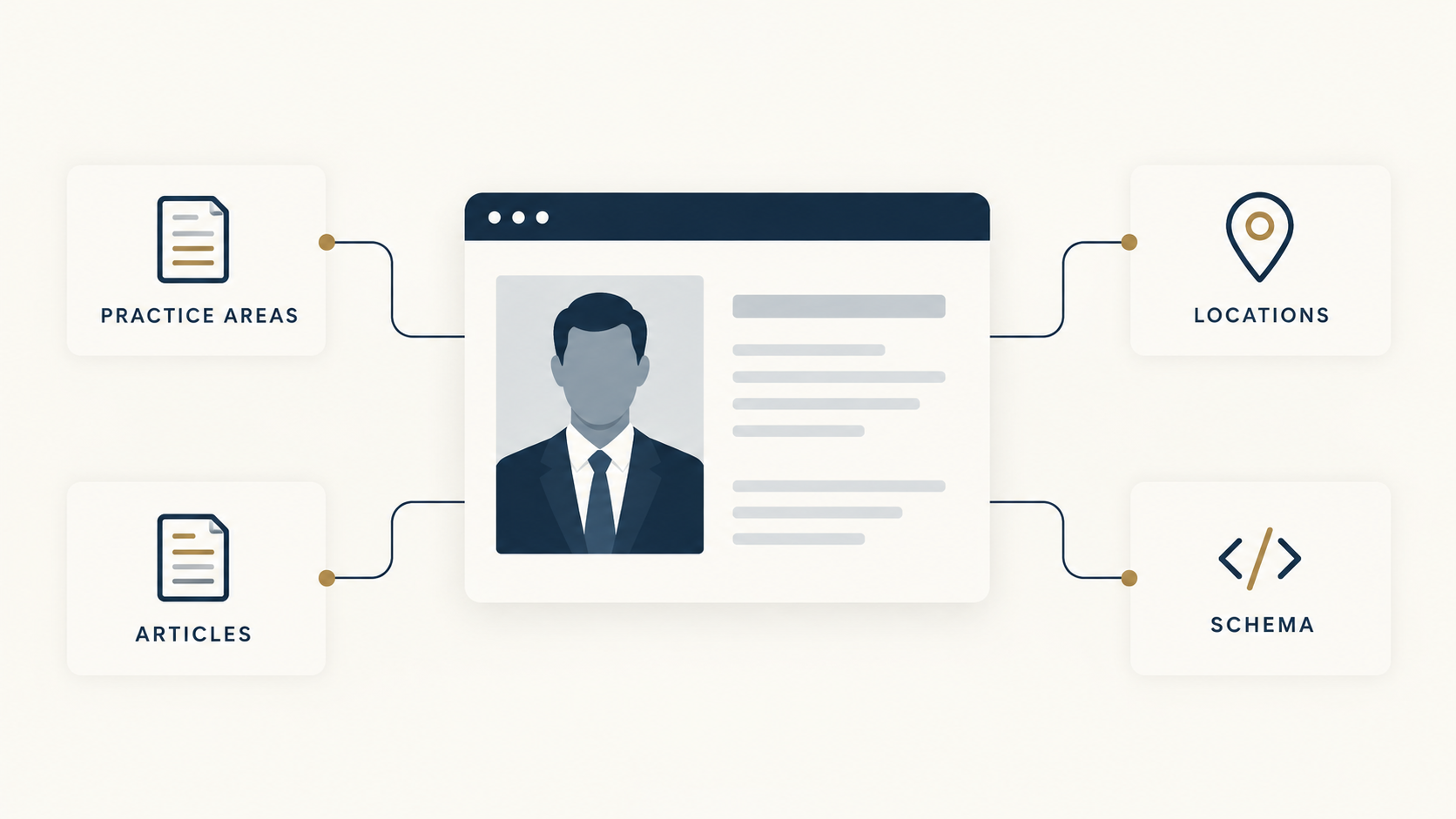
The layout can vary. On desktop, the contact information might appear beside the headshot in a profile card. On another design, it might sit directly beneath the photograph. On mobile, those elements will normally stack. What matters is the relationship being obvious.
For example:
[Headshot]
John Doe
Business Litigation Attorney
Irvine, California
(949) 555-0000
john@xyzlawfirm.com
This layout places the attorney’s identity, practice, location, and contact details together instead of making prospective clients search the header or footer for the firm’s only phone number.
Use the H1 to Identify The Lawyer and Their Primary Practice
For an attorney who primarily serves one market, a useful format is:
John Doe, Orange County Business Litigation Attorney
If the attorney serves several locations, keep the H1 broader:
John Doe, Business Litigation Attorney
This is more useful than using only the lawyer’s name because it tells the reader what kind of attorney they have found.
Keep the attorney’s firm role separate when possible. For example:
John Doe, Orange County Business Litigation Attorney
Partner, XYZ Law Firm
Avoid turning the H1 into a list of every service the attorney provides. The opening biography and practice area links can handle that detail.
When you review your firm’s bio pages, ask whether the H1 clearly identifies the lawyer and, where appropriate, their primary practice.
Build the Biography Around the Questions a Prospective Client Will Ask
Lead With the Client-Facing Biography
The biography should first make clear:
- Who the attorney typically represents
- The legal matters they handle
- The role they play when those matters arise
- Useful context about how they approach the work
The goal is to help a prospective client understand whether the lawyer handles problems like theirs. Use plain language and avoid unnecessary legal jargon, especially when a client may not recognize a technical legal term.
Support the Attorney Bio With Concrete Evidence
After explaining the work, show what supports it.
Useful evidence may include:
- Representative matters
- Case results where permitted
- Significant transactions
- Prior legal experience
- Industry experience
- Relevant publications or speaking engagements
- Client testimonials where permitted
If the bio says the attorney handles shareholder disputes, for example, a representative matter involving a dispute between business owners can be more persuasive than another general statement about experience.
Add the Attorney’s Professional Story When It Helps
Prior business ownership, in-house experience, a government role, or another relevant part of the lawyer’s career may belong here. Personal details should have a reason for being on the page rather than turning the attorney biography into an autobiography.
Keep Credentials Easy to Find
Traditional professional information still belongs on the attorney bio, but it does not need to lead the page.
This can include:
- Education
- Federal and state court admissions
- Bar association and other professional memberships
- Awards and third-party recognition
- Languages spoken
- Community involvement
- Continuing legal education presentations
A prospective client should be able to find these details quickly after they understand what the lawyer actually does.
Distinguish Proof From Prestige
A representative matter can show that the attorney has handled a specific type of legal problem. A listing or selection by an organization such as Best Lawyers or Super Lawyers shows third-party recognition. Both can support credibility, but they should not be treated as interchangeable.
A useful hierarchy is simple: explain the work first, support it with evidence, then provide the credentials and background that help the client complete their evaluation.
Connect Each Attorney Bio to the Right Practice Areas
Use Contextual Links Inside the Biography
For example:
John represents business owners in [shareholder disputes] involving control, distributions, and ownership rights.
That kind of contextual link does more than help navigation. The surrounding sentence explains how the practice area relates to the attorney, while the link gives readers a direct route to more information.
Add a Dedicated Practice Areas Section
A separate module can make the attorney’s work easier to scan, especially when the lawyer handles several services.
For example:
Practice areas
- Business litigation
- Shareholder disputes
- Breach of contract claims
- Restrictive covenant litigation
Each item can link to the corresponding practice area page.
The module and contextual links can work together. The module makes the attorney’s services easy to scan, while contextual links explain those services within the biography.
Link the Practice Pages Back to the Attorney
A business litigation page, for example, can include an ‘Attorneys who handle business litigation’ section with the relevant lawyers and links to their attorney bios.
That gives the site a clear two-way structure:
Attorney bio → Practice area page
Practice area page → Attorney bio
The goal is not to connect every lawyer to every service the firm offers. Those links should reflect the work the attorney actually handles. A cleaner attorney-practice relationship helps prospective clients and gives search engines a more accurate picture of how the law firm’s services and lawyers fit together.
Surface the Attorney’s Most Relevant Articles and Legal Resources
Prioritize Content That Matches the Attorney’s Practice
Do not turn the bio into an archive of every article or firm announcement associated with the lawyer. Surface the content that is most relevant to the attorney’s actual practice, such as:
- Articles written by the attorney
- Articles reviewed for legal accuracy
- Guides tied to the lawyer’s practice areas
- Relevant publications or speaking materials
- News directly related to the attorney’s practice or professional role
Be Clear About Authorship and Review
For example:
Reviewed by John Doe, Business Litigation Attorney
That gives prospective clients useful context about the attorney’s role in checking the legal information without overstating their involvement.
Add a Dedicated Related-Content Section
Articles and Resources
or:
Insights From John Doe
Use descriptive article titles and surface the most relevant pieces rather than every post connected to the attorney.
Link the Content Back to the Attorney
The structure becomes:
Attorney bio → relevant legal content
Relevant legal content → attorney bio
Keep these relationships selective. The goal is to connect the attorney with content that genuinely supports the legal services described on the bio, not to create links simply for SEO.
Make It Easy to Contact the Attorney or Firm
Keep Contact Details Near the Attorney
Give Prospective Clients More Than One Contact Option
A visitor may prefer to call, email, or request a consultation. Keep the available options easy to find without cluttering the page.
For example:
- ‘Call John Doe’
- ‘Email John Doe’
- ‘Request a Consultation’
Repeat the CTA on Longer Attorney Bios
Make the Contact Experience Mobile-Friendly
For multi-office law firms, make the attorney’s office clear on the profile rather than relying only on the site’s footer.
Choose a Layout That Makes the Attorney Bio Easy to Scan
Use a Single-Column Layout for Shorter Attorney Bios
For example:
Headshot and contact information
Biography
Practice areas
Education and admissions
Contact call to action
The advantage is simplicity. There is no need for tabs or complex navigation when the page does not contain enough content to justify the.
Use a Modular Layout for Longer Profiles
If the lawyer has extensive experience, representative matters, publications, awards, or other supporting information, divide the page into clearly labeled sections and use short paragraphs within each section.
For example:
- Biography
- Practice areas
- Representative matters
- Articles and insights
- Education and admissions
- Recognition
This makes the attorney bio easier to scan and helps prospective clients find the information most relevant to them.
Consider a Hybrid Layout
Keep the top of the page unified with the attorney’s headshot, name, role, office, contact information, and opening biography. Then use separate modules farther down the page for practice areas, experience, insights, credentials, and recognition.
Add Jump Links When the Page Is Long Enough
Whatever layout you choose, keep the hierarchy consistent. Use one clear H1, nest the remaining headings in order, and present the information in a logical sequence. Prospective clients should first understand what the lawyer handles, then see the experience and credentials that support that work, and always have a clear path to contact the firm.
Use ProfilePage and Person Structured Data When Appropriate
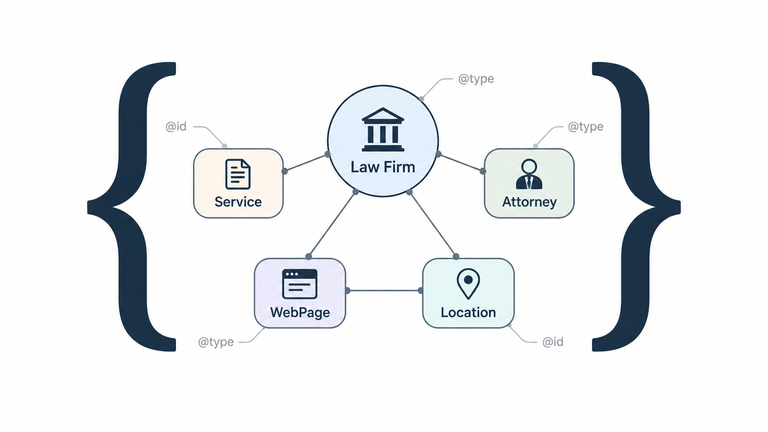
ProfilePage can describe the bio page, while a Person entity identifies the attorney as its mainEntity.The example below uses a hypothetical Orange County, California law firm called XYZ Law Firm and a hypothetical business litigation attorney named John Doe. His visible biography says he handles commercial disputes, business litigation, and breach of contract claims.
{
  "@context": "https://schema.org",
  "@graph": [
    {
      "@type": "ProfilePage",
      "@id": "https://www.xyzlawfirm.com/attorneys/john-doe/#profilepage",
      "url": "https://www.xyzlawfirm.com/attorneys/john-doe/",
      "name": "John Doe | Orange County Business Litigation Attorney | XYZ Law Firm",
      "description": "John Doe is an Orange County business litigation attorney at XYZ Law Firm who represents businesses and business owners in commercial disputes and breach of contract claims.",
      "mainEntity": {
        "@id": "https://www.xyzlawfirm.com/attorneys/john-doe/#person"
      },
      "isPartOf": {
        "@id": "https://www.xyzlawfirm.com/#website"
      },
      "breadcrumb": {
        "@id": "https://www.xyzlawfirm.com/attorneys/john-doe/#breadcrumb"
      }
    },
    {
      "@type": "Person",
      "@id": "https://www.xyzlawfirm.com/attorneys/john-doe/#person",
      "name": "John Doe",
      "url": "https://www.xyzlawfirm.com/attorneys/john-doe/",
      "jobTitle": "Business Litigation Attorney",
      "image": {
        "@type": "ImageObject",
        "url": "https://www.xyzlawfirm.com/images/john-doe.jpg"
      },
      "worksFor": {
        "@id": "https://www.xyzlawfirm.com/#legalservice"
      },
      "knowsAbout": [
        "Commercial Disputes",
        "Business Litigation",
        "Breach of Contract Claims"
      ]
    },
    {
      "@type": "LegalService",
      "@id": "https://www.xyzlawfirm.com/#legalservice",
      "name": "XYZ Law Firm",
      "url": "https://www.xyzlawfirm.com/",
      "telephone": "+1-949-555-0123",
      "address": {
        "@type": "PostalAddress",
        "streetAddress": "123 Main Street, Suite 500",
        "addressLocality": "Irvine",
        "addressRegion": "CA",
        "postalCode": "92614",
        "addressCountry": "US"
      },
      "areaServed": {
        "@type": "AdministrativeArea",
        "name": "Orange County, California"
      }
    },
    {
      "@type": "WebSite",
      "@id": "https://www.xyzlawfirm.com/#website",
      "url": "https://www.xyzlawfirm.com/",
      "name": "XYZ Law Firm"
    },
    {
      "@type": "BreadcrumbList",
      "@id": "https://www.xyzlawfirm.com/attorneys/john-doe/#breadcrumb",
      "itemListElement": [
        {
          "@type": "ListItem",
          "position": 1,
          "name": "Home",
          "item": "https://www.xyzlawfirm.com/"
        },
        {
          "@type": "ListItem",
          "position": 2,
          "name": "Attorneys",
          "item": "https://www.xyzlawfirm.com/attorneys/"
        },
        {
          "@type": "ListItem",
          "position": 3,
          "name": "John Doe",
          "item": "https://www.xyzlawfirm.com/attorneys/john-doe/"
        }
      ]
    }
  ]
}What This Attorney Structured Data Describes
| Markup | What it describes |
|---|---|
ProfilePage | The attorney bio page itself |
mainEntity | Identifies John Doe as the primary subject of the profile page |
Person | Identifies John Doe as the person described on the page |
worksFor | Connects John Doe to XYZ Law Firm |
knowsAbout | Lists subjects associated with John Doe that the visible biography supports |
LegalService | Describes XYZ Law Firm as the legal service provider |
WebSite | Connects the attorney bio with the wider law firm website |
BreadcrumbList | Describes where the bio page sits within the website hierarchy |
ProfilePage → mainEntity → Person → worksFor → XYZ Law FirmThat distinction matters. The attorney bio is a webpage, while John Doe is the lawyer the page describes. Using
ProfilePage with a Person as its mainEntity lets the structured data represent both rather than treating the attorney and the page as the same thing.The
knowsAbout property can then reinforce subjects that are already clear in the biography. In this example, John Doe’s attorney bio would need to state that he handles commercial disputes, business litigation, and breach of contract claims. Structured data should reflect what prospective clients can already see on the page, rather than introducing practice areas that the visible bio does not support.
Read more about schema markup for law firms.
Need Better Attorney Bio Pages? Start With a Law Firm Website Audit
If you would like us to implement the structure above for your lawyer bio pages, contact TypeTopia Agency at inquiries@typetopiaagency.com. We review how each attorney connects to the services your firm provides, the content supporting those services, and the rest of your law firm website.
Depending on the services your firm selects, we can help you:
- Write or rewrite attorney bios around the clients and matters each lawyer actually handles
- Publish and optimize the pages on your website, including on-page SEO and indexability
- Add contextual internal links between attorney bios, practice area pages, and relevant legal content
- Implement
ProfilePage,Person, and other appropriate structured data - Monitor search performance and update pages as attorneys, offices, or practice areas change
- Build or improve the practice area or service pages those attorney bios should connect to
- Optimize your Google Business Profile and align it with the information on your website
- Rebuild or improve the wider law firm website when the underlying structure needs work
If you are not sure whether the problem is your attorney bios, practice pages, technical SEO, local visibility, or the website itself, start with an audit. We will review your website and visibility, identify the gaps, and show you what to address first.
Attorney Bio Frequently Asked Questions
Found this useful? See more from TypeTopia Agency in Google.
Add TypeTopia Agency as a preferred source to tell Google you’d like to see more of our law firm marketing research and guides.